You can compare two environments and trace the table and column level changes. Comparing two environments enables you to debug scanned metadata and makes your data integration project efficient.
To compare environments, follow these steps:
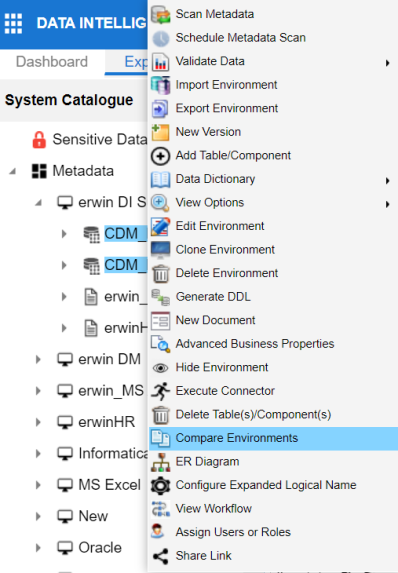
- In the System Catalogue pane, select any two environments.
- Click Compare Environments.
You can use CTRL or Shift Key to select two environments.
The Compare Environments page appears. By default, it opens the Table Level Changes tab.
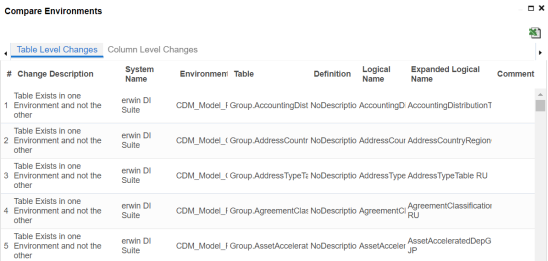
To view column level changes, on the Compare Environments page, click the Column Level Changes tab.
Column level changes are displayed.
To download the comparison report, click  .
.
The comparison report is downloaded in the XLSX format.
|
|
|
Copyright © 2021 erwin, Inc. All rights reserved. Copyright © 2021 Quest Software Inc. All rights reserved. All trademarks, trade names, service marks, and logos referenced herein belong to their respective companies. |